
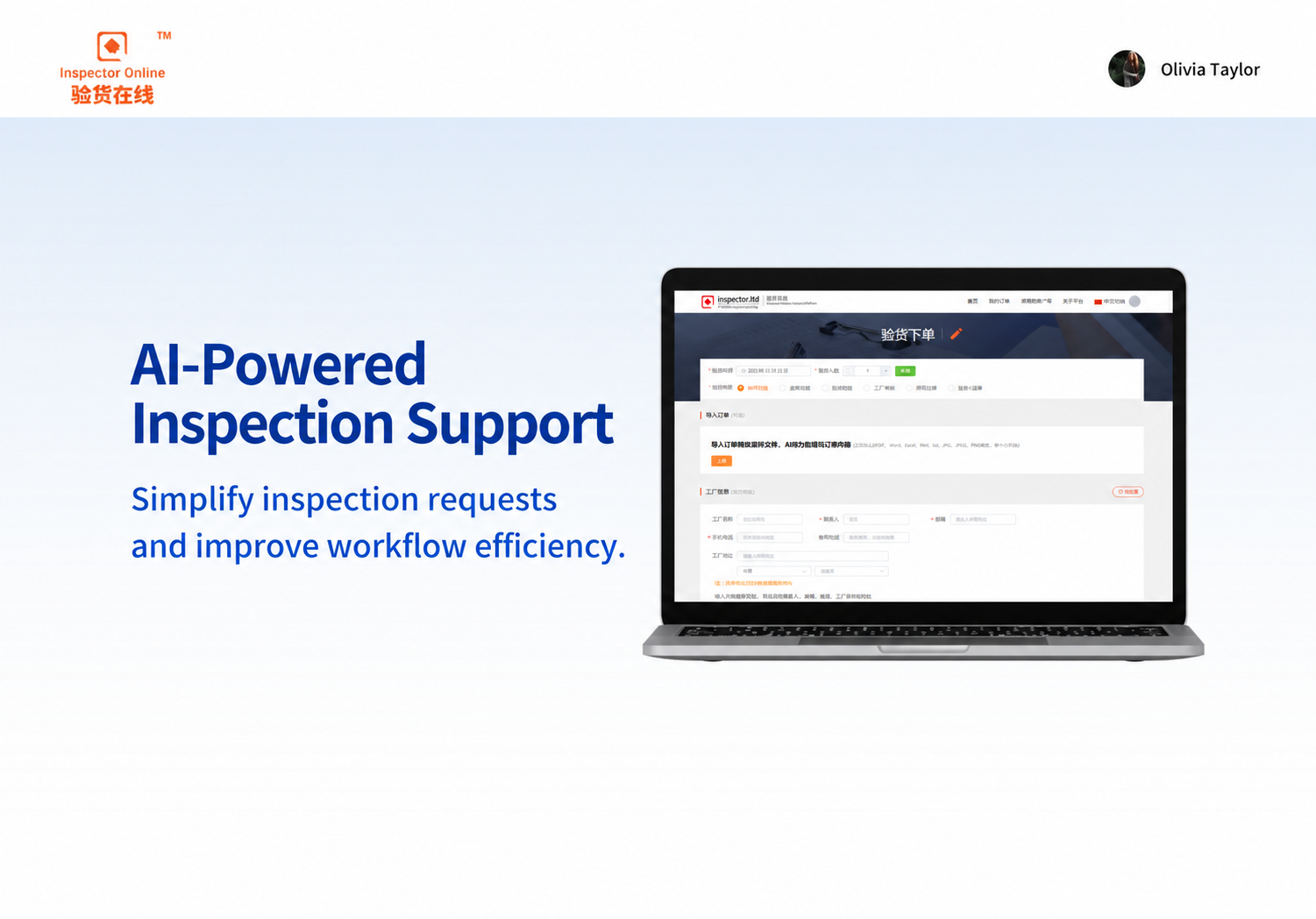
With this ordering tutorial, you can quickly familiarize yourself with our ordering process.
Fill in the mailbox / cell phone number, password settings to complete the registration
Completion of appointment time, number of people, type of service program, report language selection
Complete basic supplier information entry, contact person, email, phone, factory name and address.
Upload information please include inspection information, such as contract, packing list, inspection requirements, etc.
Place an order in the appropriate currency and complete the order for payment
E-mail / cell phone number: support to fill in the mailbox number or cell phone number (recommended to fill in the mailbox number to facilitate the order push)
After completing the password setting, you will receive a verification code, please fill in the code and complete the registration!
Please fill in the date of your inspection, and select the number of QC labor required for this inspection, select the appropriate type of service according to your needs, and finally do not forget to choose the language of the report.
Click to order Input of whole address is supported and recognized automatically. Manual input is also possible:
Factory name: fill in the factory company name
*Contact: fill in the name of the factory contact
*Factory mailbox: fill in the factory contact mailbox number
*Mobile phone number: fill in the factory contact cell phone number
*Factory address: select the country and city where the factory is located, and add the detailed and precise address to complete.
The above with "*" symbol are required and must be accurate, to avoid the situation of not being able to contact the factory.
Please upload or fill in the product information, upload information please include inspection information, such as contracts, packing lists, inspection requirements, etc.
Click to order Note: Please make sure the above has been completed before making payment.
Currency options: RMB (for payment in Chinese Yuan), USD (for payment in US Dollars)
Free Bidding: free pricing is available, price is up to you, no commissioner service.
VIP price: 1V1 full service provided by our business specialists.

Shaoxing, Zhejiang, is one of China’s major textile production and trading hubs. For overseas buyers sourcing fabrics from China, arranging an independent third-party on-site quality inspection before shipment helps them understand the actual condition of the products, identify visible quality issues, and reduce the risk of products failing to meet procurement requirements. On this occasion, Inspector Online staff conducted an on-site fabric quality inspection in Shaoxing, Zhejiang. This article features photos taken on-site…
A Comprehensive Guide to the Sneaker Inspection Process: This guide covers the seven-step inspection process—including sampling and counting, box label verification, packaging inspection, style verification, appearance and workmanship inspection, size measurement, and functional testing—and includes grading standards for common defects and AQL sampling methods to help international buyers mitigate quality risks before shipment.
Furniture Inspection Guide: Seven essential points that inspectors must check at factories and warehouses—including appearance and workmanship, moisture content, structural strength, hardware functionality, KD assembly and disassembly, packaging drop tests, and quantity and markings—along with a classification of common defects and an AQL sampling table to help you prevent return risks before shipment.
A Comprehensive Guide to New Foreign Trade Regulations in October 2026: Microbial Testing of Recycled Pulp by Customs, EU Steel Smelting and Casting Country Declarations, the Final Implementation Period for CBAM, U.S. Polysilicon Tariffs, Indonesian Halal Certification, Vietnamese LED CR Certification, and More—Including Third-Party Inspection and Compliance Recommendations.
Why does the defect rate skyrocket during peak season rushes? This article breaks down the eight most common pitfalls in pre-shipment inspections (PSI), complete with a cost comparison chart between conducting and skipping inspections, AQL sampling standards, real-world inspection scenarios, and seven common questions—helping you prevent losses before your goods are loaded into containers.
Black Friday (November 27) and Cyber Monday (November 30) warehouse intake deadlines are fast approaching: AWD deadline is October 14, minimum split deadline is October 21, and optimized split deadline is October 28. Attached is a 10-item pre-shipment inspection checklist.
 Chinese Chinese
  English
